
TK999 Deposits Process
TK999 deposit in Bangladesh is built for quick top ups in BDT using local wallets, so you can move from zero to ready without guessing what the cashier wants. The flow stays simple: pick a method that is visible in your account, send the transfer from your wallet, then confirm it in the cashier using the TxID from your receipt:
Limits and Cashier Method
Before you submit anything, read the deposit limits on the screen. TK999 top up ranges can change, and the live range in the cashier is the only one that matters in that moment. A common example you might see is 100 to 25,000 BDT, but it can shift during maintenance or when a channel temporarily updates.
| Method | Channel tag in panel | Availability | Per transaction range | What the player confirms | Notes to mention |
|---|---|---|---|---|---|
| bKash VIP | CWP | 24 24 shown | 100 to 25,000 BDT | TxID | Warn about fake helpers in messengers |
| Nagad VIP | KAP | 24 24 shown | 100 to 25,000 BDT | TxID | Same UI pattern as bKash |
Pick the method that is actually visible in your account, then treat TxID and the on screen range as your two must check details.
How to Top Up your Account?
For a fast, safe TK999 account registration and deposit, complete the transaction in one clean cashier loop to let the status update and avoid double submitting:
Open the site or TK999 application and go to the deposit tab in the cashier Choose the channel that is visible in your account Enter the BDT amount you want to top up Send the transfer from your local wallet Return to the cashier and confirm TxID exactly as on the receipt Keep the page open until the status updates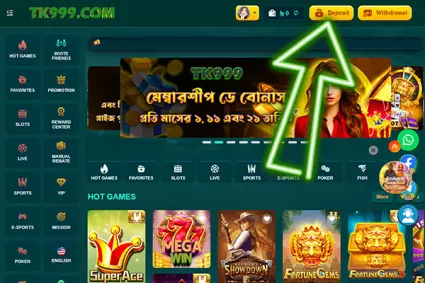
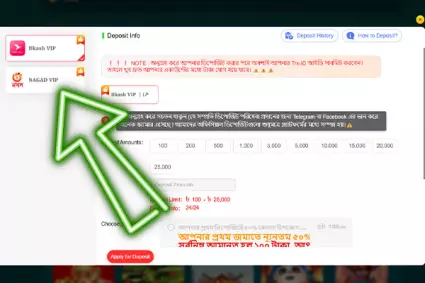
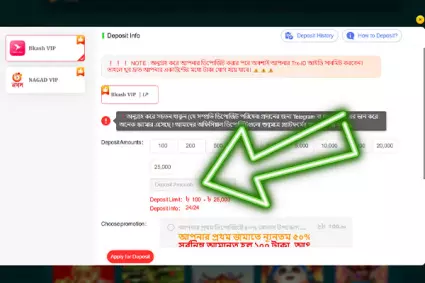
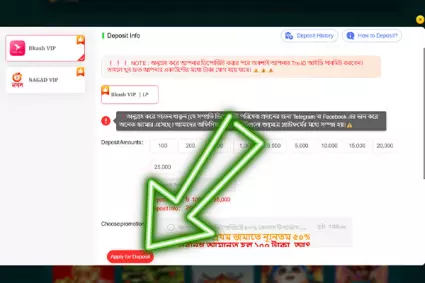
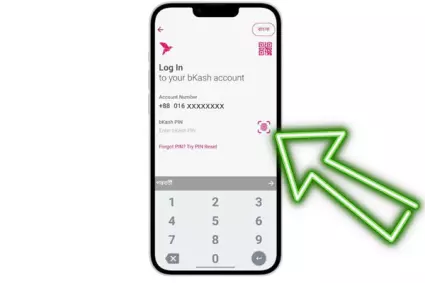
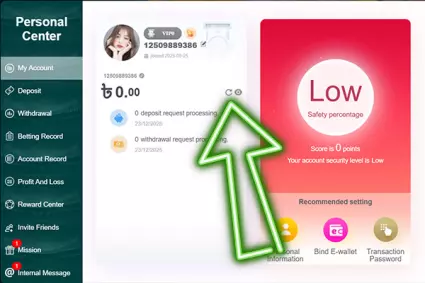
Do not resubmit the form or send a second transfer “just in case”. Once you treat it as one attempt at a time, deposits stay smooth, and any check is easier to track with a single TxID and one status line.
What is TxID?
A TxID comes from your wallet receipt, usually inside transaction details or wallet history right after you send the money. The cashier matches that code exactly, so even a tiny typo can turn a normal deposit into a TK999 deposit problem.
| What to check | What to do | What usually goes wrong |
|---|---|---|
| Where TxID appears | Open wallet history or transaction details and find the receipt | Looking at the wrong transaction in the list |
| How to enter it | Copy paste the full TxID exactly as shown | Missing one character or trimming the end |
| Spacing and edits | Keep it unchanged, no spaces, no manual fixes | Adding spaces or “cleaning” the code |
| Similar looking symbols | Double check letters and numbers before confirming | Swapping 0 and O, 1 and I, or similar characters |
| Wrong value pasted | Paste only the TxID, not the amount or reference label | Copying the wrong field from the receipt |
Treat the TxID like a fingerprint: copy it once, paste it once, and do not modify it. That one habit avoids most confirmation errors.
Quick TK999 Deposit Problem Solution
This is a short algorithm that helps you avoid duplicates and get a clean resolution faster: Duplicates usually make the trail messier, so it is better to escalate from inside the account instead of firing off extra transfers.
For a TK999 deposit problem solution, open a support ticket with one message containing: payment method, BDT amount, time, transaction ID, and a clear receipt screenshot.
TK999 Withdrawals in Bangladesh
TK999 withdrawal in Bangladesh is a BDT payout flow that usually routes to bKash or Nagad, with a common on screen range like 100 to 25,000 BDT per request. One rule matters for speed: withdraw to the same method you used for deposits, because switching channels often adds checks and delays. The numbers below are a simple interface example, so always verify the live limits inside the cashier before you submit.
| Channel | Min per request | Max per request | Daily request cap | Processing window shown | Notes |
|---|---|---|---|---|---|
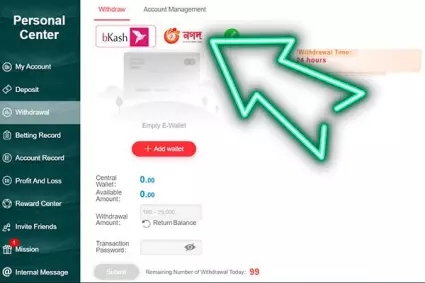
| bKash | 100 BDT | 25,000 BDT | Counter can show up to 99 requests | Window can show 24 hours | Name match matters, keep the same wallet used for deposits |
| Nagad | 100 BDT | 25,000 BDT | Counter can show up to 99 requests | Window can show 24 hours | Same rules as bKash, avoid edits mid process |
If you need more than the range allows, send requests one by one in sequence, not as a pile of simultaneous forms.
How to Withdraw?
The goal here is one request at a time, plus reading the status on the same page you submitted from:
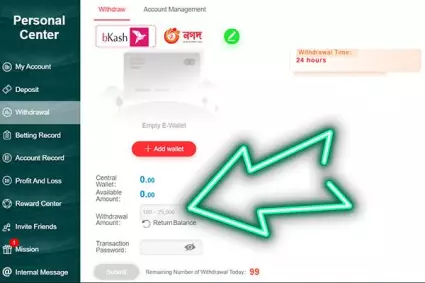
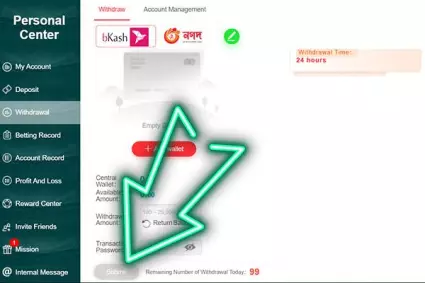
Open Wallet and tap Withdrawal in the cashier; Choose bKash or Nagad and enter your payout details; Type the amount in BDT and stay within the shown limits; Confirm the request and wait for the standard processing time.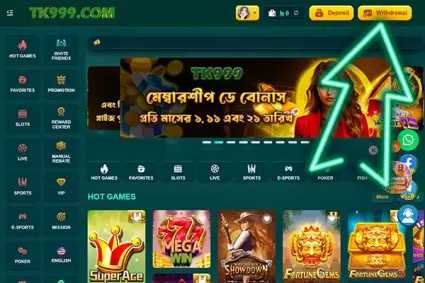
Status Lines and What They Mean?
Status is your action hint, and some lines mean you should wait, not resend.
| Status line | What it usually means | Fastest action |
|---|---|---|
| Submitted | Request queued | Wait and check history later |
| Processing | Checks running | Do not edit wallet details mid process |
| Successful | Funds released | Verify in wallet app and history |
| On hold | Manual review needed | Use on site chat and follow prompts |
A new request before the current one finishes often reduces speed instead of improving it.
What Pending Usually Signals?
On a TK999 withdrawal, pending status often means the system is queuing your request or verifying receiver details, especially during traffic spikes or device switches:
- Stick to one device until the withdrawal finishes;
- Do not edit the wallet number after you submit;
- Avoid changing anything mid process;
- If a TK999 bonus turnover or playthrough is still active, wait until it is fully completed;
- Recheck your transaction password, and reset it if needed.
Keep it boring and consistent. One clean session, one set of details, and one active request usually gets you out of pending faster than any extra clicks.
Quick Fix for Withdrawal
Before contacting support, run this quick check to keep your account clean, avoid duplicates, and identify the real cause faster: Rule of thumb: keep one active request, and track it in withdrawal history on the same page. 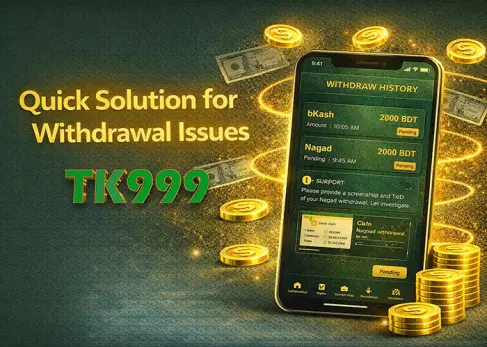
If a TK999 withdrawal problem persists - like a 'Successful' status with no funds, wallet issues, or name mismatches - contact live chat immediately. Provide the channel, amount, time, transaction reference, and a screenshot in one clean message.